Lab 4 - Networking
Lab Objectives:
- Demonstrate the ability to Networks and Routers from the Horizon Web Interface
Login as student
- Login using the credentials created in the previous lab
Add a Private Network
-
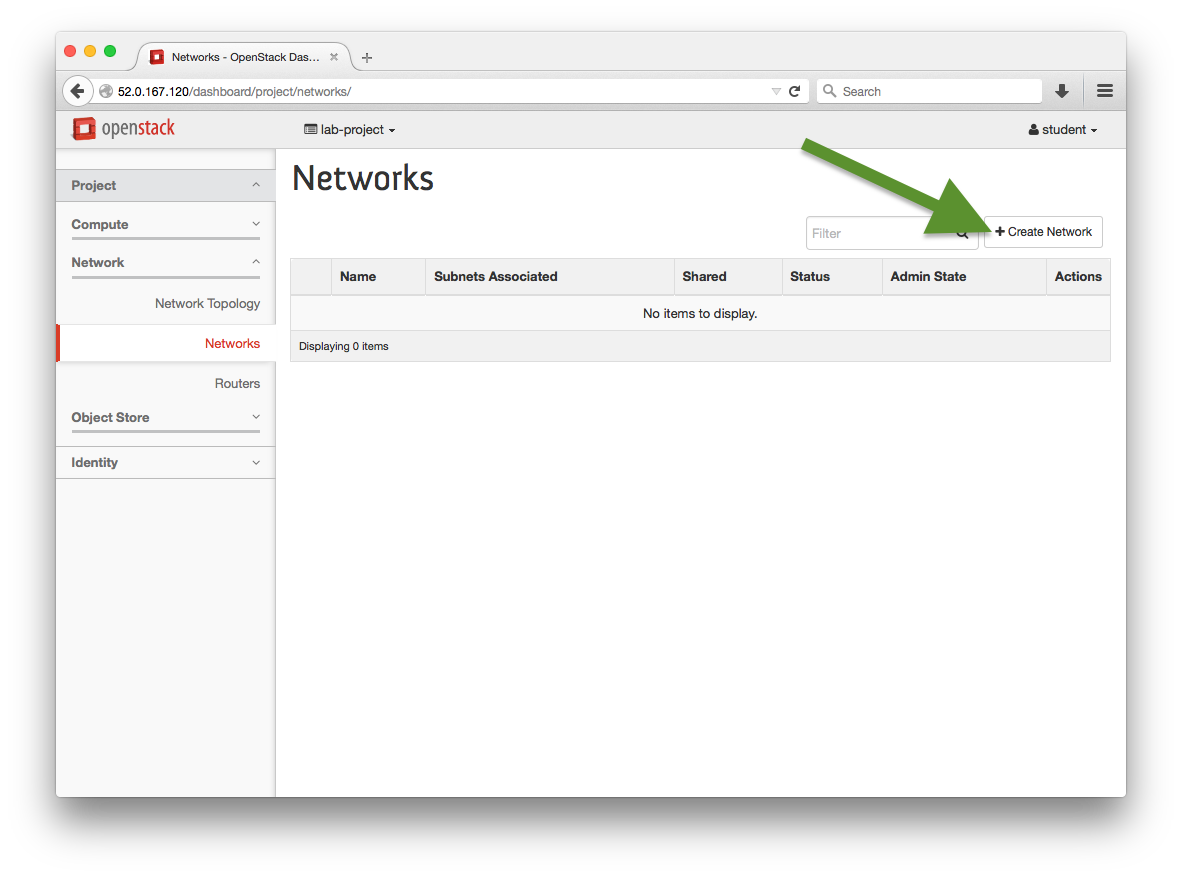
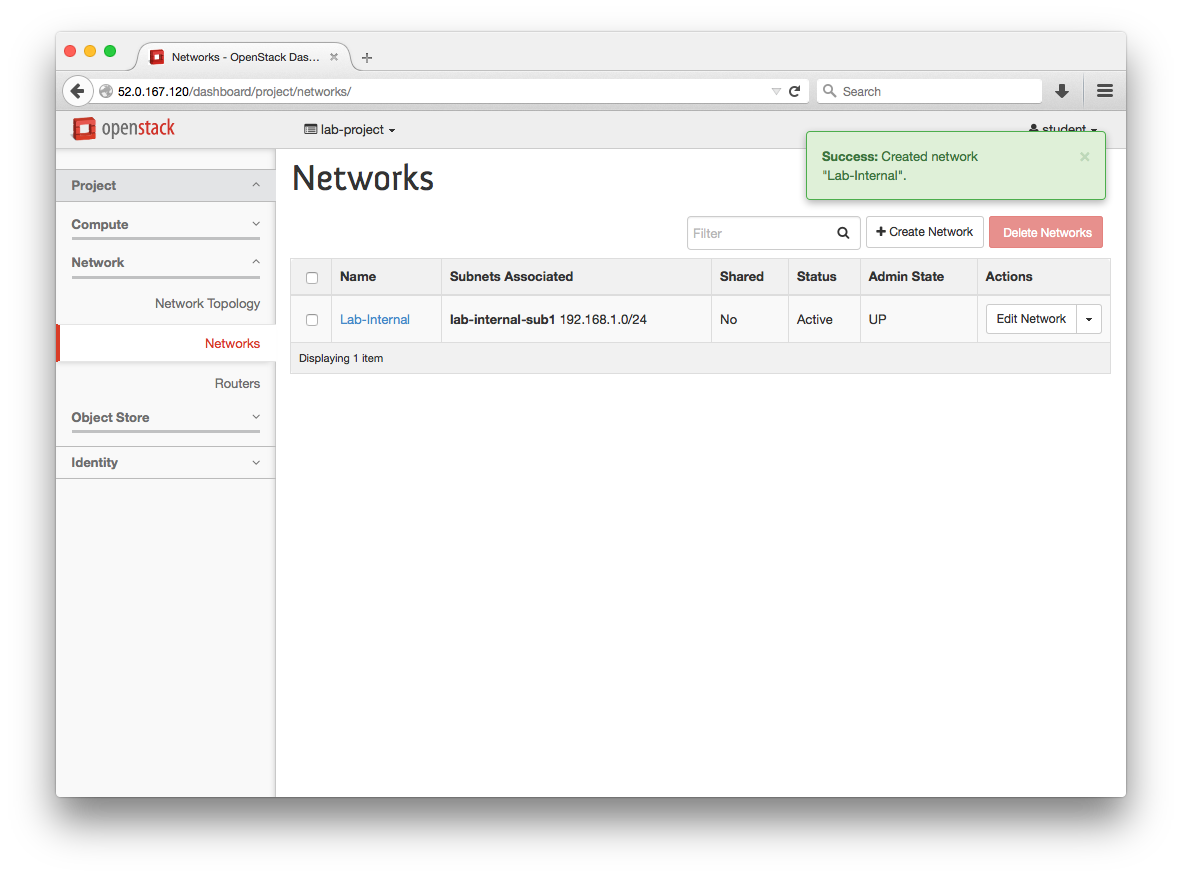
Navigate to: Project > Network > Networks > +Create Network
:red_circle: TODO need a new screenshot showing 2 default shared networks?
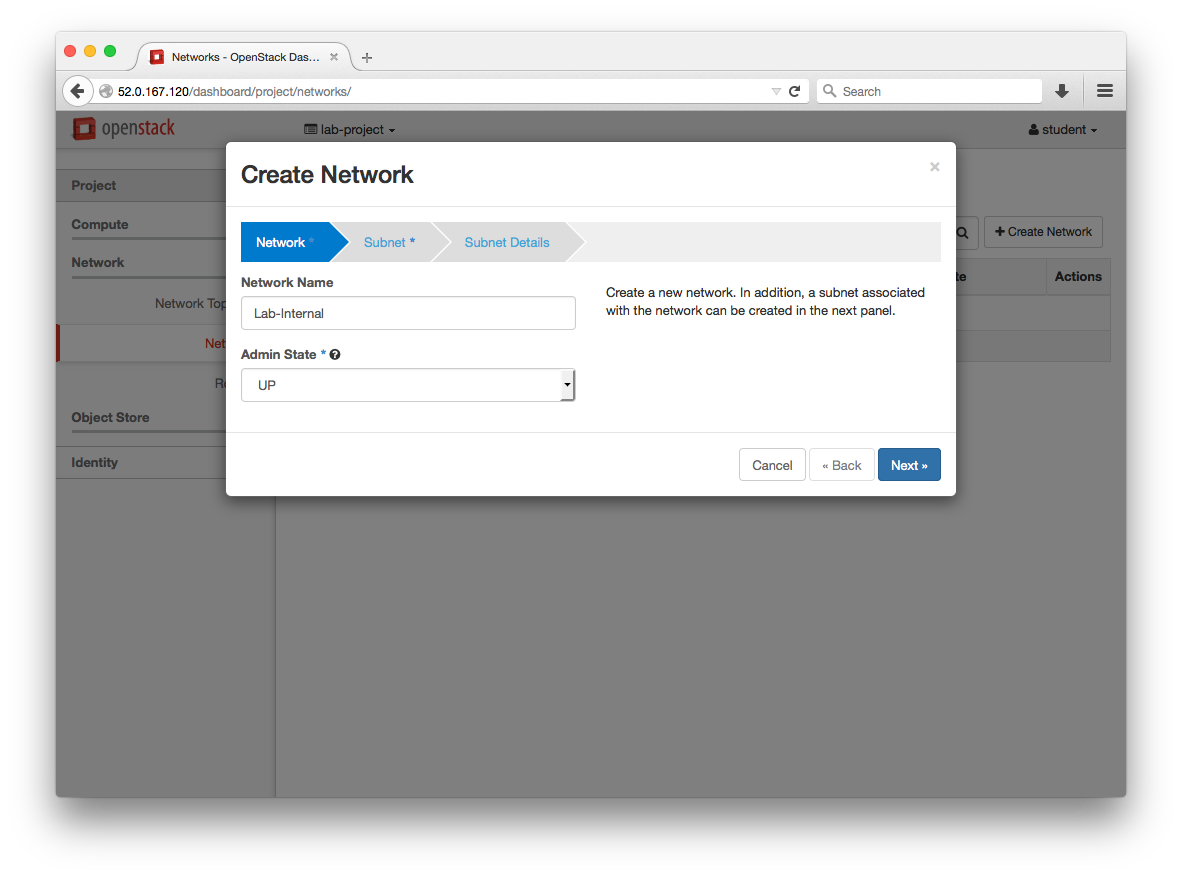
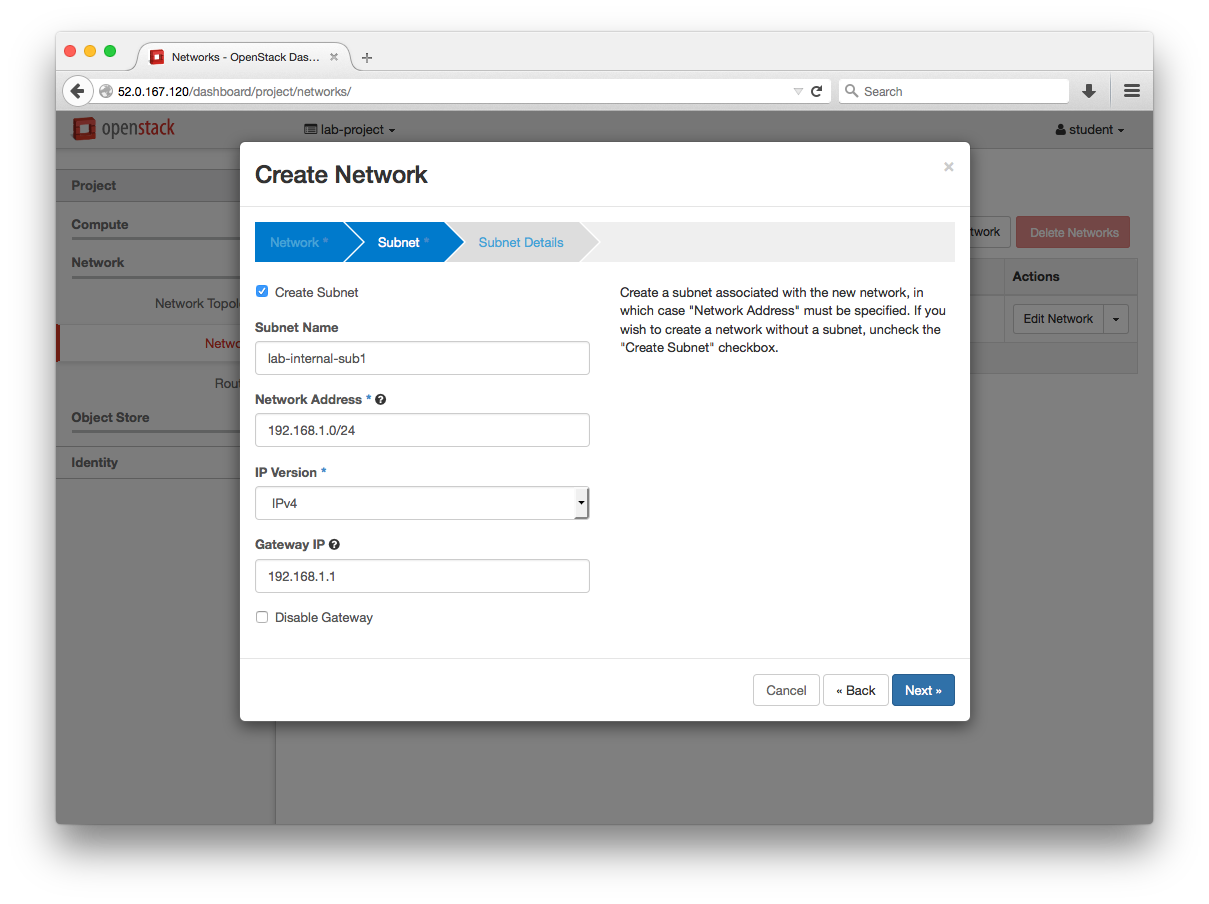
:white_check_mark: Additional Info:
The Allocation Pools is the
start,endaddresses for the pools. The entry form for this field does not parse spaces. Example Pool:192.168.1.100,192.168.1.120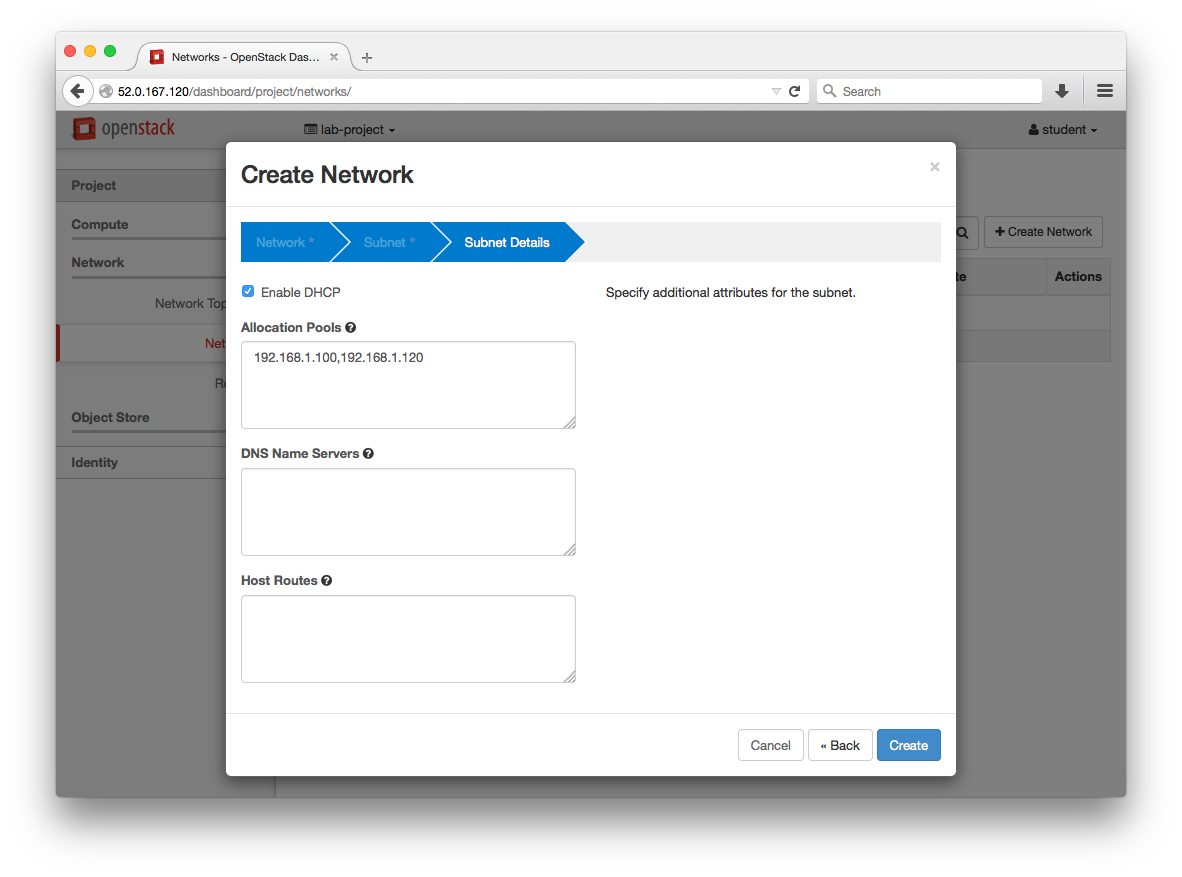
Add a Router
-
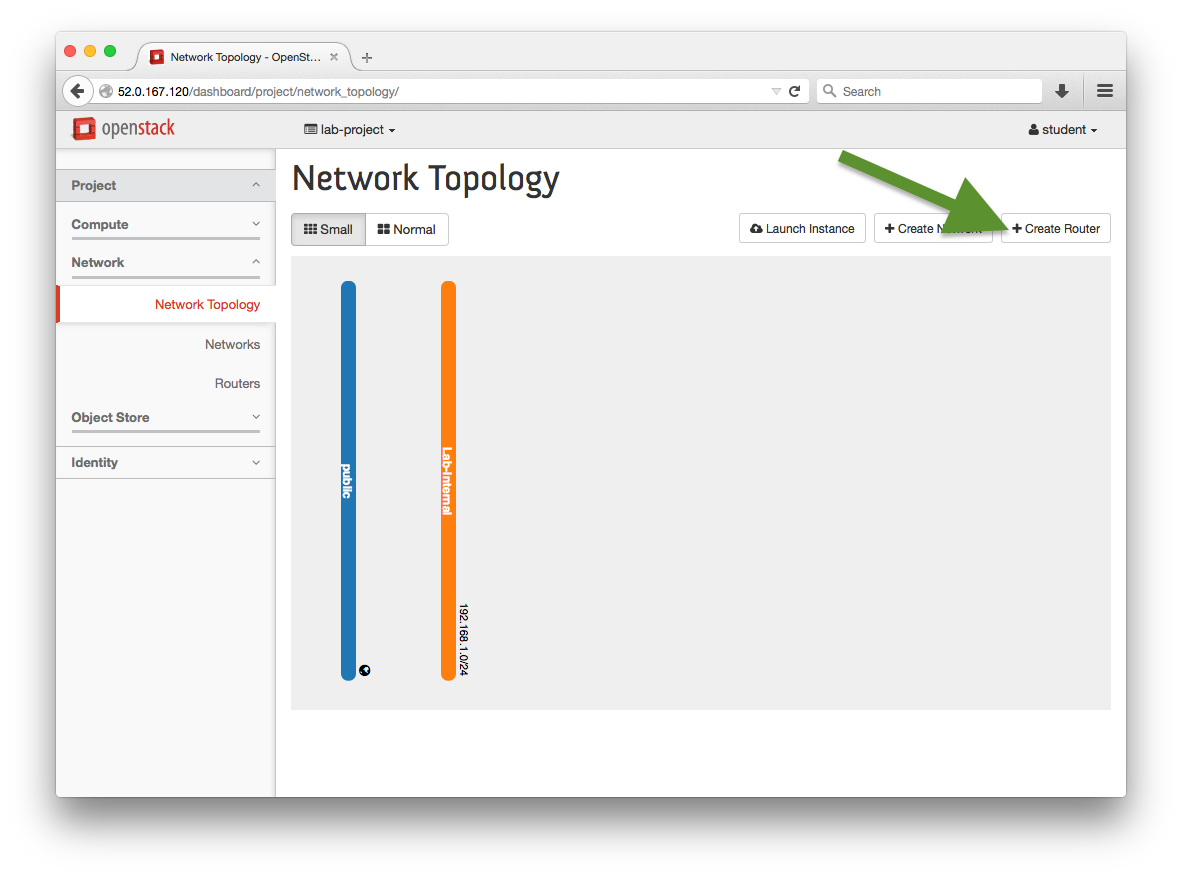
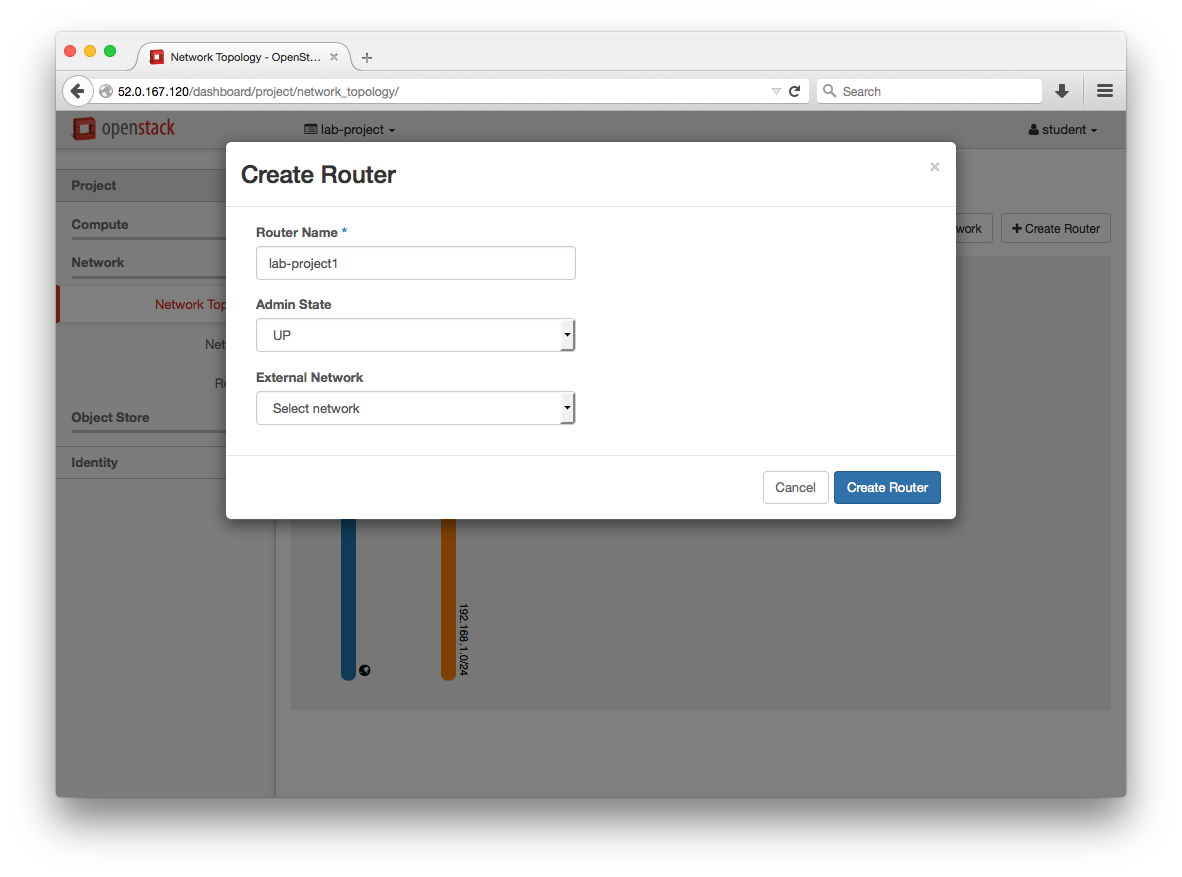
Navigate to: Project > Network > Network Topology > +Create Router
-
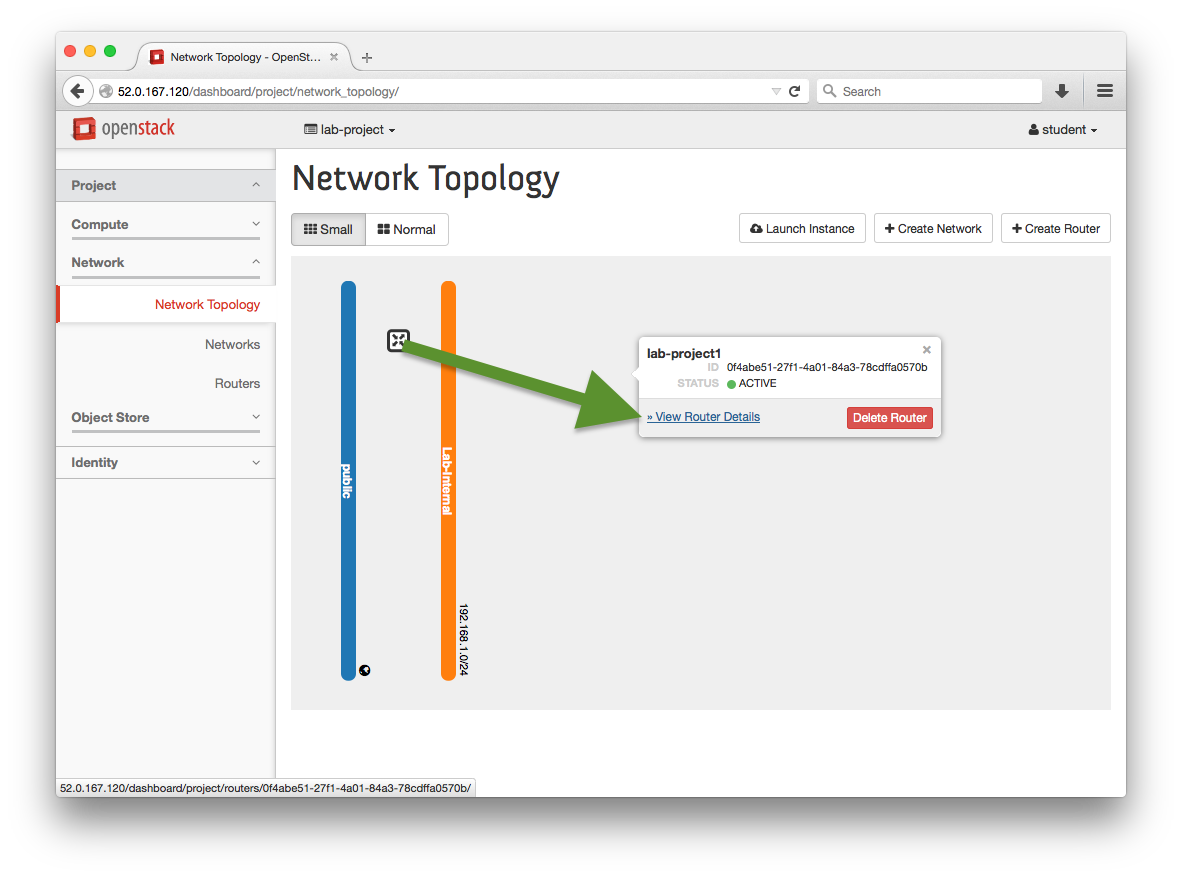
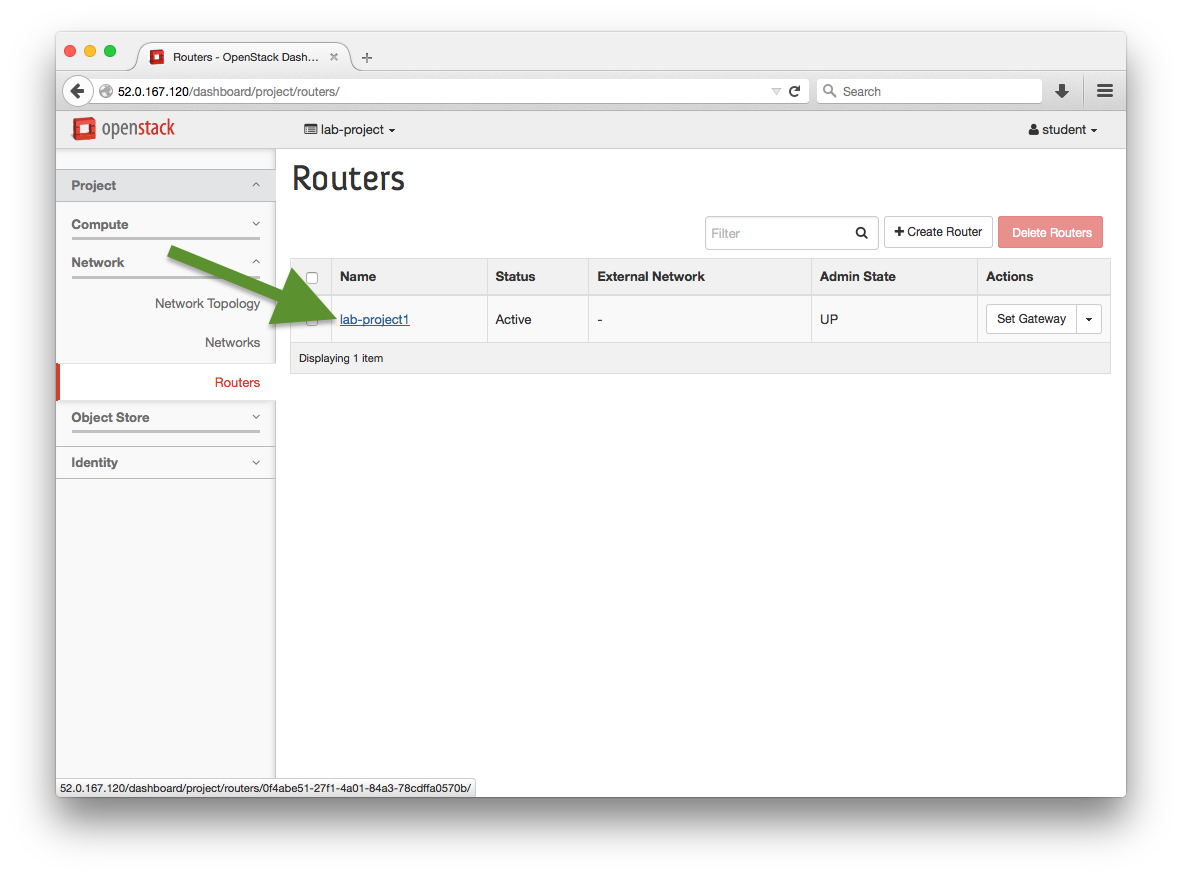
Either click on “View Router Details” or choose our new router from the list on Project > Network > Routers
-
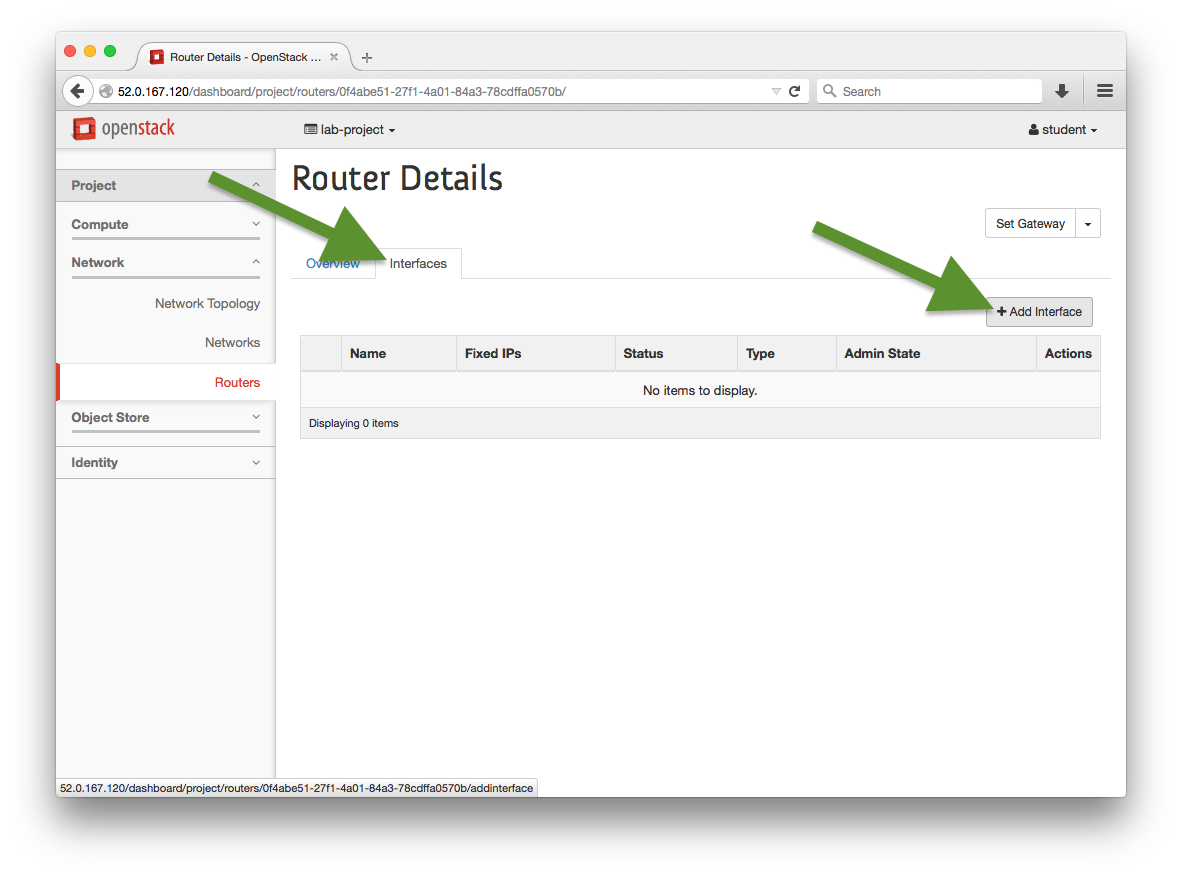
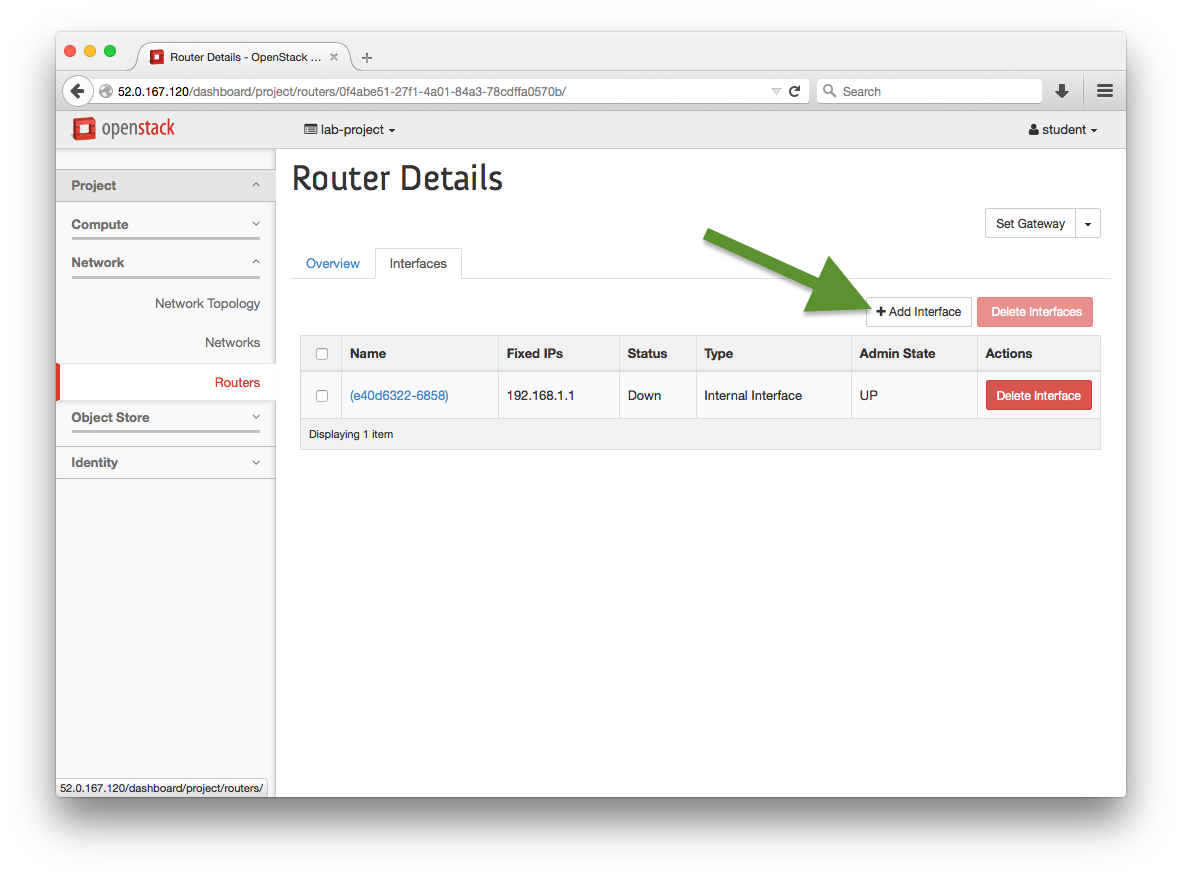
Add an interface to the new router
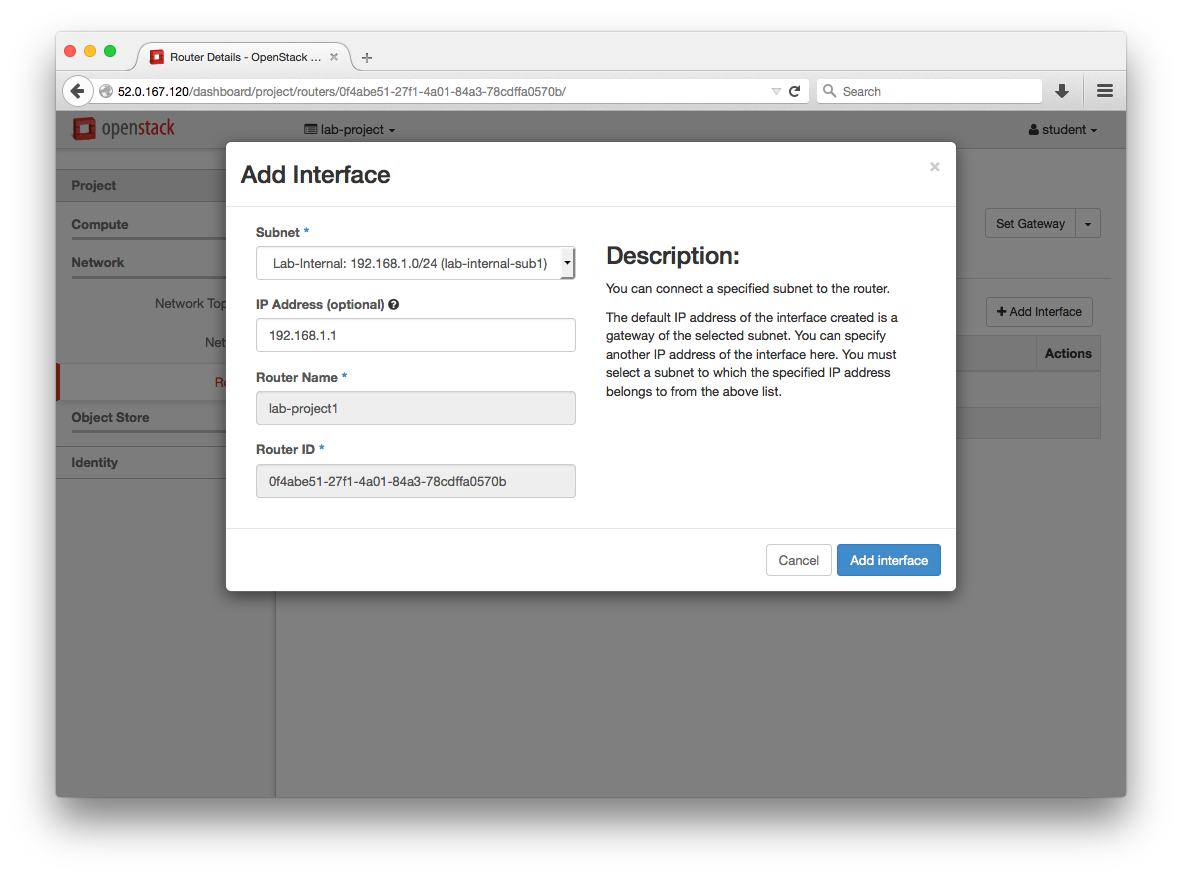
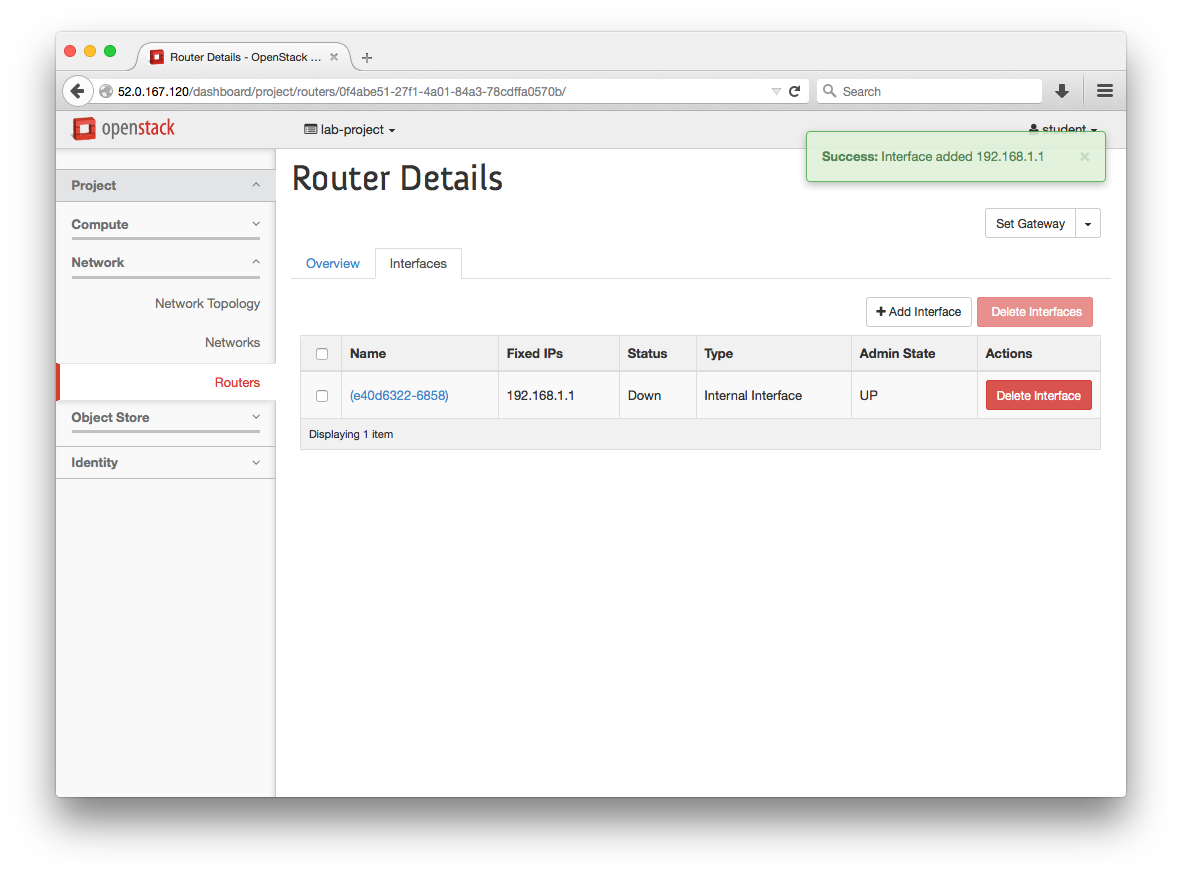
-
Set the Gateway for this network
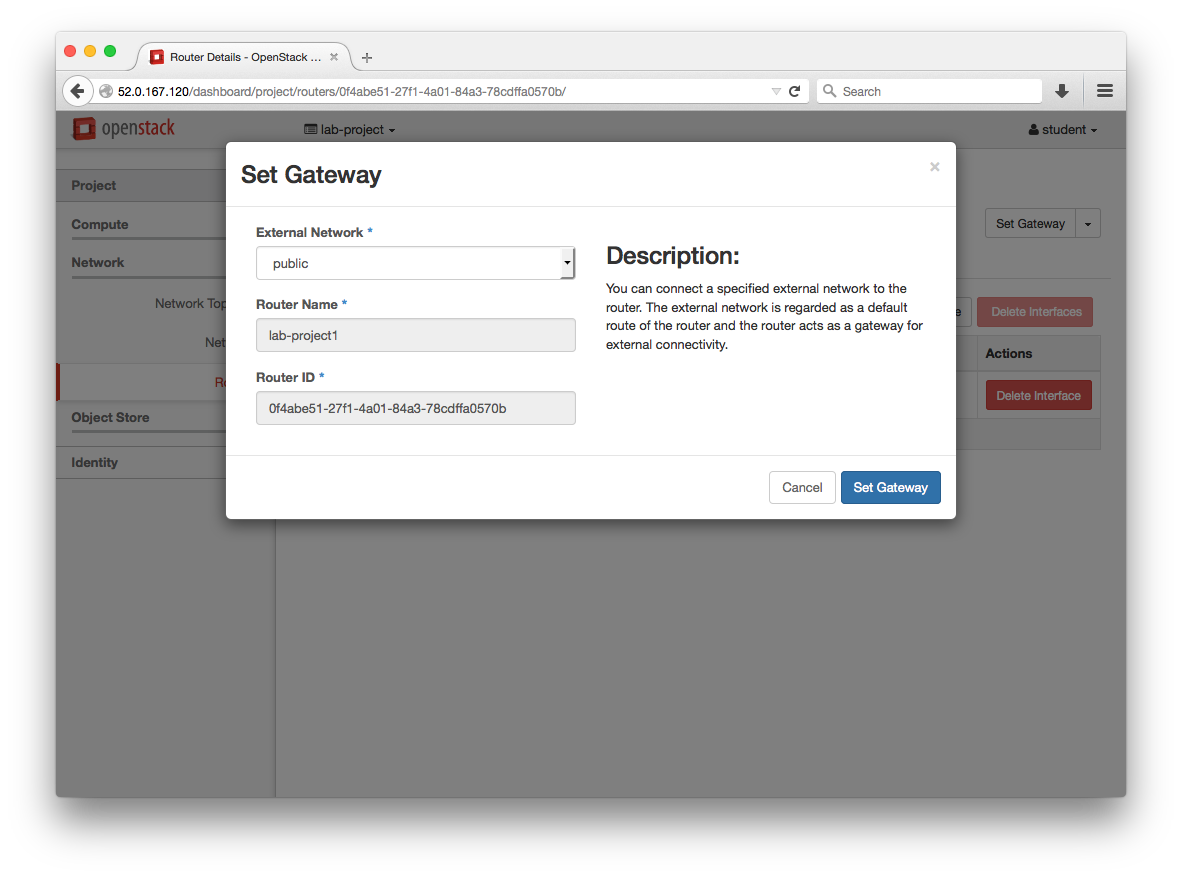
-
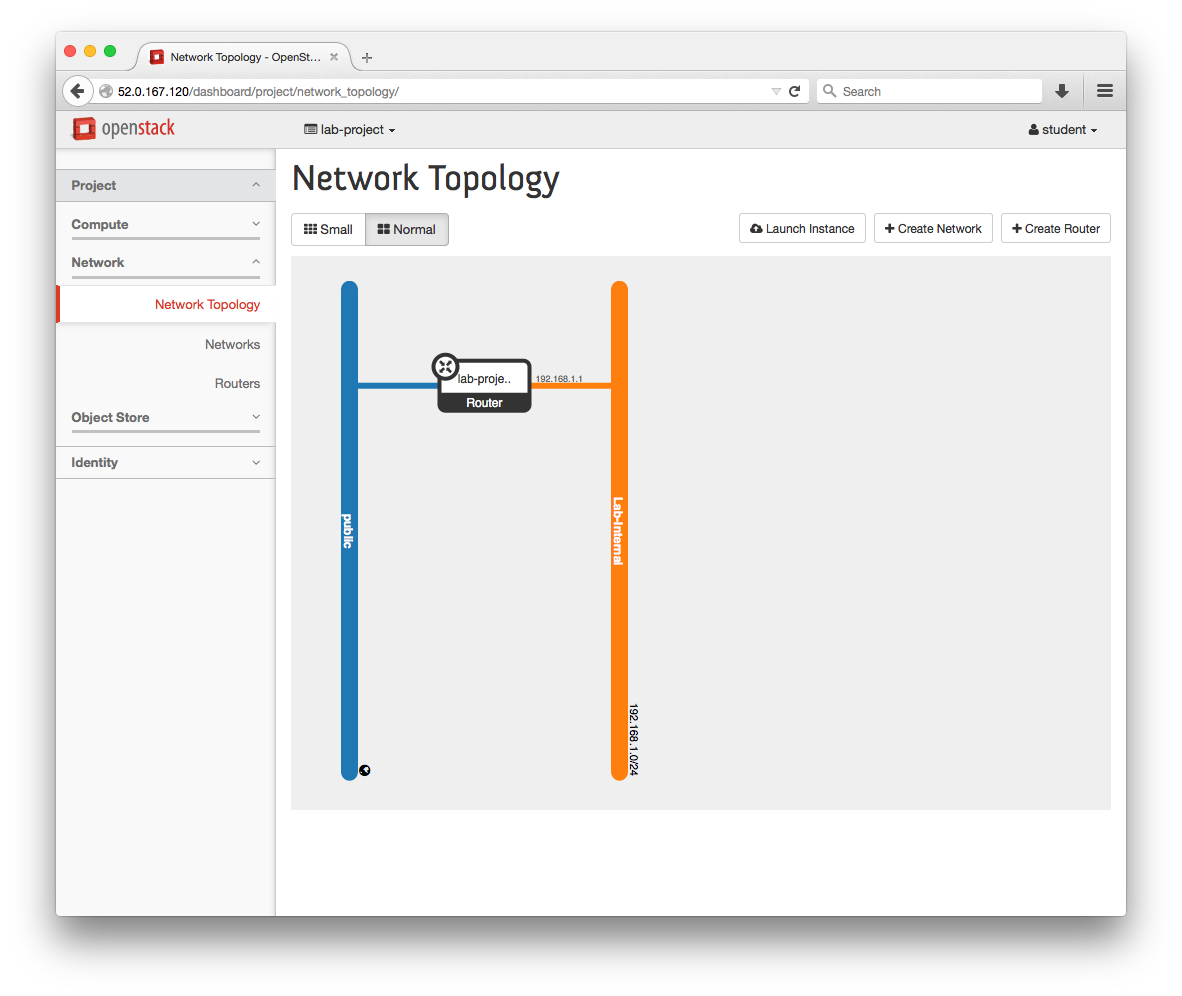
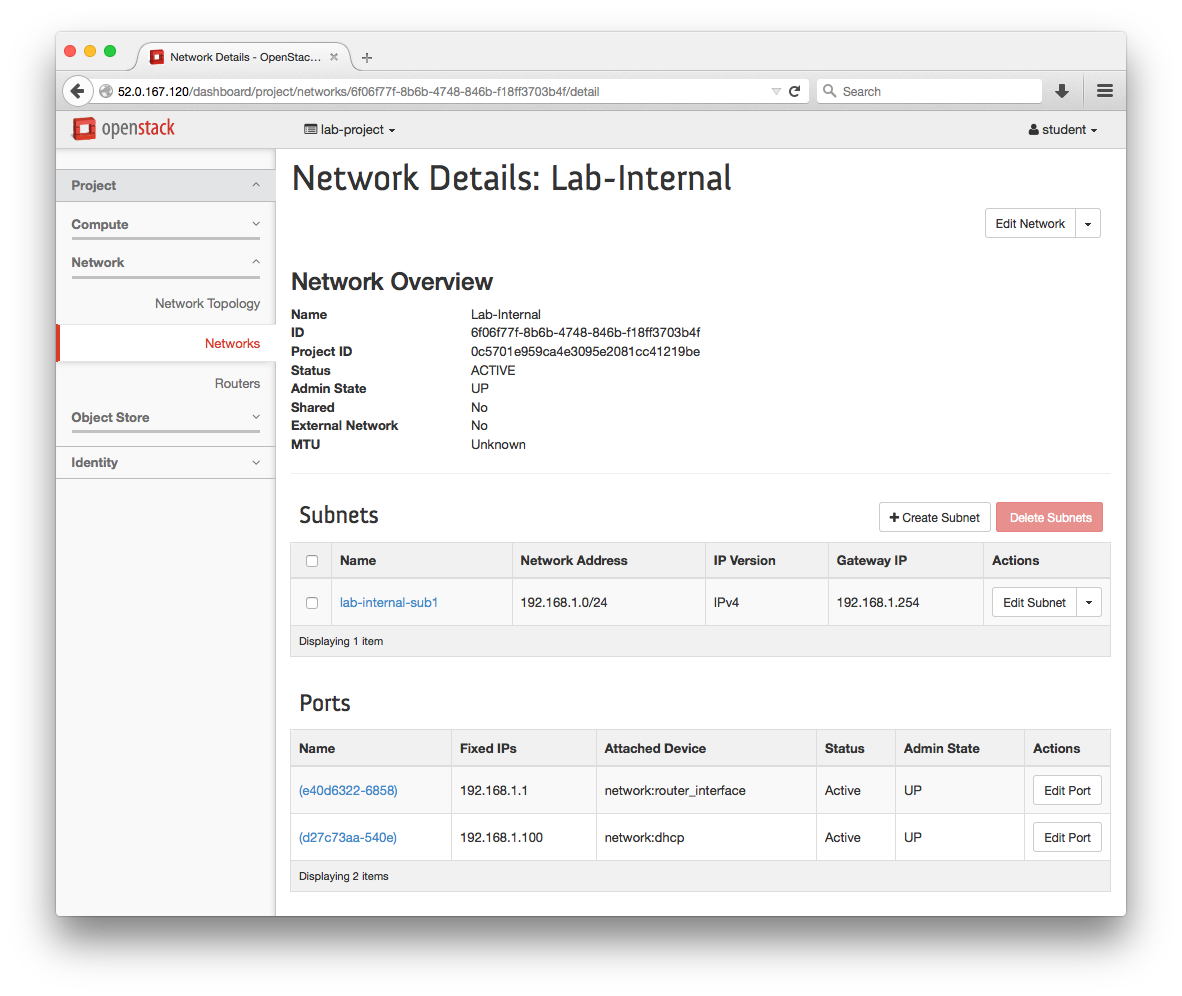
View the Network Topology and Networks page and verify configurations